> For the complete documentation index, see [llms.txt](https://guide.signspace.com/llms.txt). Markdown versions of documentation pages are available by appending `.md` to page URLs; this page is available as [Markdown](https://guide.signspace.com/en/remove-content-on-the-organisation-account.md).
# Remove content on the organisation account
Users who have been granted removal permissions can remove content they own from the organisation account. Trusted admins have full removal rights across the entire account. They can remove entire items such as signature requests, discussions, tasks, or polls.
{% hint style="warning" %}
*It is not possible to remove individual data inside these items (e.g., a single comment in a discussion).*
{% endhint %}
Removal policies are described in more detail on the page: [Data Retention and Deletion](/en/data-retention-and-removal/data-retention-and-removal.md).
### **How do I get permission to remove content?**
To remove content from the organisation account, you must:
* Be the **owner** of the content
* Have been granted **delete rights** by an **admin user**
Exception: **Trusted admins** can remove any content without restriction.
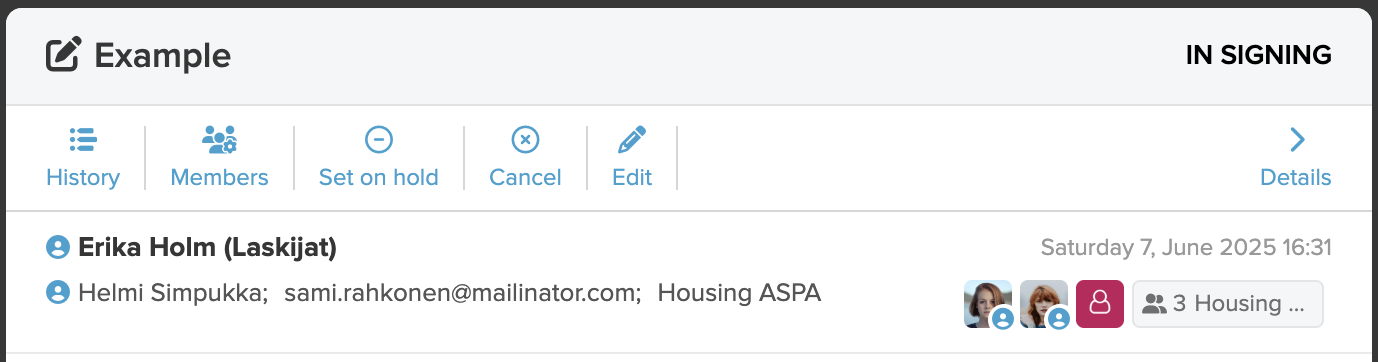
You can identify ownership by the owner icon .
In the example image below, **Erika Holm** (creator of the signature request) and **Helmi Simpukka** are listed as owners. Owners can add new owners or assign ownership via the **Members** tab.
If you are an owner but still cannot remove the content, it means you do **not** have removal rights granted by an main user.
Main users can manage removal permissions in **User management**.\
By default, only **main users** and **trusted admins** have removal rights.
### **How to remove content**
**Remove a single item**
To remove an individual content item:
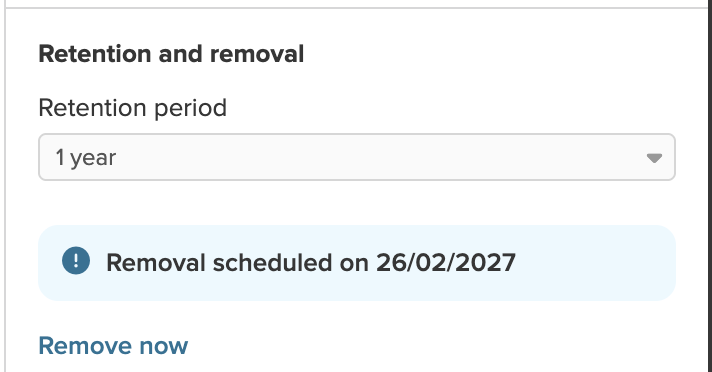
1. Select **Details** from the toolbar
2. In the side panel that opens, scroll to the bottom and click **Remove now**
If you want to notify others about the deletion via email, you can select the users or groups and add a custom message.
### **Remove multiple items at once**
You can remove several items at once from the **list views**:
Click the **multi-select icon** in the top toolbar
Select the items you want to remove
Click **Remove**
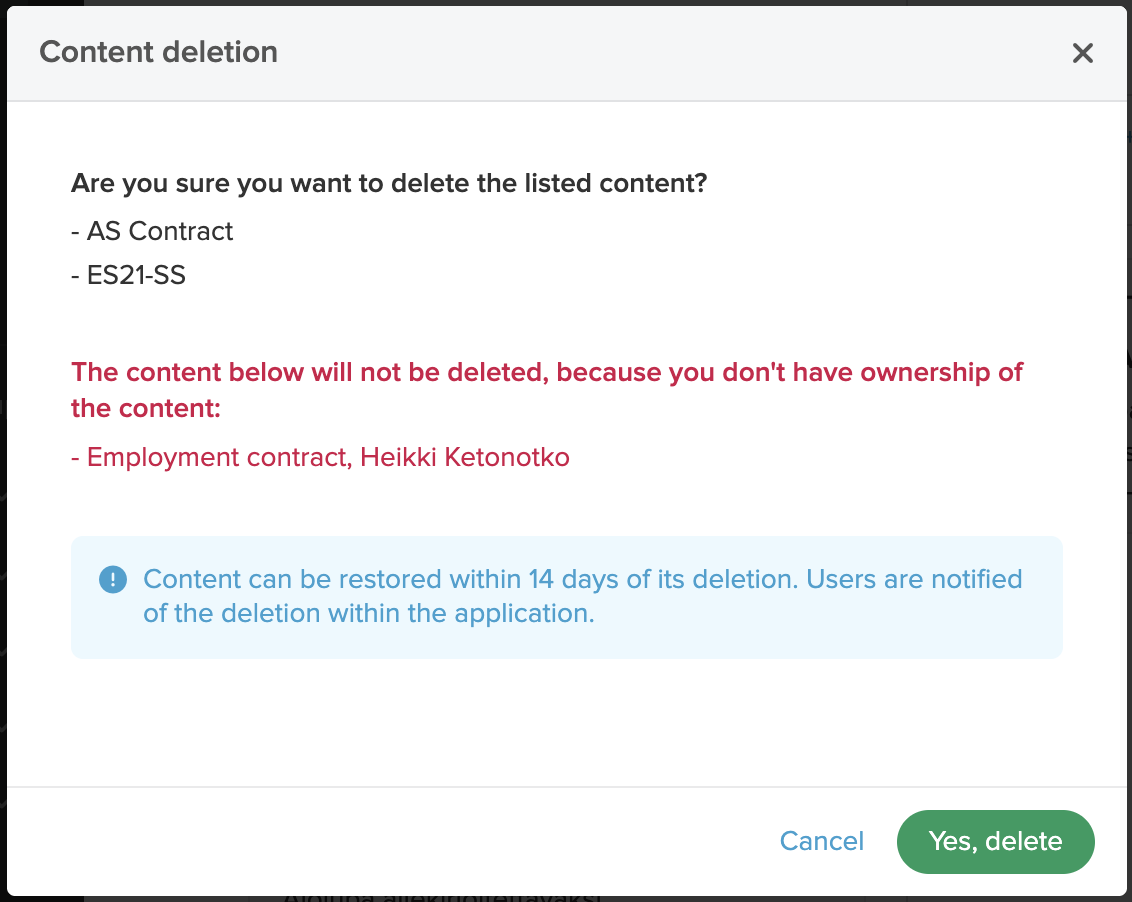
A summary of selected content will appear for confirmation before removal.
If you lack permission to remove some of the selected content, those items will be listed in the summary in red and will not be removed.
{% hint style="warning" %}
**Notifications about removal**
* When multiple items are removed at once, **no email notifications** are sent
* Users who had access to the removed content will see a **notification in the app** under the **Notifications** view
{% endhint %}
### **Restoring removed content**
Removed content remains visible to the **owner(s)** for **14 days**. To view removed items, apply the **Removed** filter in the sidebar.
During this time, owners can restore the removed item by selecting **Restore content**.
Removed content disappears immediately for all other users.
Users who had access to the removed content will see a removal notification in the **Notifications** section.
.
In the example image below, **Erika Holm** (creator of the signature request) and **Helmi Simpukka** are listed as owners. Owners can add new owners or assign ownership via the **Members** tab.
If you are an owner but still cannot remove the content, it means you do **not** have removal rights granted by an main user.
Main users can manage removal permissions in **User management**.\
By default, only **main users** and **trusted admins** have removal rights.
### **How to remove content**
**Remove a single item**
To remove an individual content item:
1. Select **Details** from the toolbar
2. In the side panel that opens, scroll to the bottom and click **Remove now**
If you want to notify others about the deletion via email, you can select the users or groups and add a custom message.
### **Remove multiple items at once**
You can remove several items at once from the **list views**:
Click the **multi-select icon** in the top toolbar
Select the items you want to remove
Click **Remove**
A summary of selected content will appear for confirmation before removal.
If you lack permission to remove some of the selected content, those items will be listed in the summary in red and will not be removed.
{% hint style="warning" %}
**Notifications about removal**
* When multiple items are removed at once, **no email notifications** are sent
* Users who had access to the removed content will see a **notification in the app** under the **Notifications** view
{% endhint %}
### **Restoring removed content**
Removed content remains visible to the **owner(s)** for **14 days**. To view removed items, apply the **Removed** filter in the sidebar.
During this time, owners can restore the removed item by selecting **Restore content**.
Removed content disappears immediately for all other users.
Users who had access to the removed content will see a removal notification in the **Notifications** section.